
Most property managers do not wake up excited about software. They wake up thinking about late payments, maintenance requests that came in overnight, and whether last month’s reports actually match the bank balance. Software only becomes interesting when something breaks or when growth starts to feel heavier than expected.
That is usually the moment spreadsheets stop working and inboxes start overflowing.
The property management software market is projected to grow steadily through 2035, signaling long term adoption and serious investment in digital tools built for efficiency and automation, as outlined in this industry analysis from research.com on property management software for enterprises. That growth is not driven by flashy features. It is driven by pressure. Pressure to do more with fewer people, to reduce manual errors, and to create predictable systems that scale without chaos.
Affordable property management software sits at the center of that shift. Not because it is cheap, but because it promises something more valuable. Control. When the right system is in place, daily operations feel lighter. Decisions come faster. Problems surface earlier.
This guide exists to help property managers understand what affordable truly means, how to evaluate software without getting distracted, and how to choose tools that support the business instead of slowing it down.
Who This Guide Is For: Property Managers & Management Companies
This guide is written for property managers who are responsible for day to day operations and long term performance. It is equally relevant for independent operators managing a small number of units and for management companies overseeing hundreds or thousands of doors. The challenges differ in scale, but the fundamentals remain the same.
Smaller portfolios often struggle with time. Larger operations struggle with consistency. Both struggle with visibility. Software decisions affect all three. Choosing the wrong platform can create friction that compounds over time, while choosing the right one can quietly transform how the business runs.
Management companies in growth mode face a unique tension. They need systems that work today without limiting tomorrow. That requires clarity around features, pricing models, and scalability. This guide is designed to help those decision makers cut through noise and focus on what actually matters.
How We Defined “Affordable”
Defining affordability required looking beyond marketing claims and headline pricing. The focus here is on tools that deliver strong core functionality at a reasonable cost while remaining usable as portfolios grow. That includes software with transparent pricing, minimal mandatory add ons, and a clear upgrade path.
Affordability also means accessibility. Tools that require weeks of onboarding or specialized consultants add hidden costs that often go unmentioned. Platforms that balance ease of use with depth tend to offer better long term value, especially for teams without dedicated IT resources.
Finally, affordable software must align with real operational needs. That includes accounting accuracy, maintenance workflows, resident communication, and reporting. If a platform handles these well without forcing unnecessary complexity, it earns its place in this guide.
How to Choose the Right Property Management Software
More than 58 percent of property management companies worldwide now use digital property management software, with cloud based platforms representing 62 percent of total deployments, according to marketgrowthreports.com coverage of the property management and real estate software market. That shift reflects a clear preference for remote access, automation, and centralized data.
Choosing the right software starts with understanding how the business actually operates. Not how it looks on paper, but how tasks flow day to day. Where delays happen. Where information gets lost. Where manual work still dominates. Software should address those realities directly.
The right platform simplifies workflows instead of adding layers. It adapts to existing processes while gently improving them. That requires honest evaluation and a willingness to prioritize function over familiarity.
Prioritizing Needs by Portfolio Size
Portfolio size shapes software needs more than almost any other factor. Small portfolios often need simplicity and speed. Large portfolios need structure and controls. Mid sized operations sit somewhere in between, balancing efficiency with oversight.
A system that feels powerful for a five unit portfolio may feel restrictive at fifty units. Conversely, enterprise style software can overwhelm smaller teams with features they do not need. The key is choosing a platform designed to support the current stage while allowing room to grow.
Understanding where the portfolio will be in two or three years helps guide this decision. Software should grow alongside the business, not force a costly migration just as momentum builds.
Core Functionality Checklist (Baseline Features)
Every property management platform should handle a core set of responsibilities reliably. These include rent collection, basic accounting, lease management, maintenance tracking, and communication tools. If any of these feel bolted on or incomplete, problems surface quickly.
Baseline features should work smoothly together. Financial data should flow into reports without manual adjustment. Maintenance requests should connect to communication tools. Resident information should remain consistent across modules.
When evaluating software, baseline functionality matters more than advanced features. If the foundation is weak, no amount of automation will fix it.
Advanced Capabilities Worth Paying For
Advanced features become valuable when they reduce friction or unlock insights. Automation, advanced reporting, integrations, and workflow customization can significantly improve efficiency when implemented well.
Not every portfolio needs these capabilities immediately. However, having access to them without switching platforms can be a major advantage. Paying slightly more for a system that supports advanced needs down the line often proves more affordable in the long run.
The key is intentional selection. Advanced features should solve real problems, not exist for novelty.
Budgeting & Total Cost of Ownership (Including Add-Ons)
Monthly subscription pricing tells only part of the story. Setup fees, add ons, transaction costs, and support tiers all contribute to total cost of ownership. Ignoring these factors leads to budget surprises.
Affordable software maintains clarity around pricing. Add ons should feel optional rather than required. Support should be accessible without premium fees that gate basic assistance.
Evaluating total cost over a multi year horizon provides a clearer picture. The most affordable option is rarely the cheapest in year one.
Scalability: Planning for Future Growth
Scalability determines whether software becomes an asset or a limitation. As portfolios grow, complexity increases. Reporting needs deepen. Permissions matter more. Integration requirements expand.
Scalable software accommodates these changes without forcing major process overhauls. It allows teams to add units, users, and features without disrupting operations.
Planning for growth does not mean overbuying. It means choosing a platform that respects where the business is today while remaining capable of supporting where it is headed.
Top 10 affordable Property Management Software:
Here is a list of the 10 best affordable property management software options, starting with those that offer completely free core services:
Innago – A truly free-to-landlord platform that funds its operations through small tenant-paid fees, offering unlimited units, lease signing, and maintenance tracking.
TurboTenant – Best for those focused on marketing, this platform offers a powerful free tier for unlimited property listings and automated pre-screening.
TenantCloud – A highly popular “starter” platform that offers a generous free tier for up to 75 units, perfect for DIY landlords who need digital leases and online payments.
Stessa – A finance-first tool that is free for essential income and expense tracking, specifically designed for investors who prioritize tax-ready financial reporting.
Avail – Part of the Realtor.com network, it provides a free plan for single-unit landlords that includes syndicated listings and state-specific lease templates.
Baselane – An all-in-one financial platform that offers a free, integrated banking and bookkeeping system designed to maximize cash flow for independent landlords.
Landlordy – A mobile-only, “offline-first” app that allows for a one-time purchase or low-cost subscription for managing a small portfolio entirely from a smartphone.
Landlord Studio – Starting at just $12/month, this is the most affordable choice for managers who need professional-grade accounting and receipt scanning on a mobile device.
RentRedi – Known for its low monthly flat fee, this app provides a comprehensive suite including mobile maintenance management and credit-boosting for tenants.
Rentec Direct – A high-value option for growing teams that provides professional trust accounting and a 10-unit “basic” version for a very small monthly fee.
Must-Have Features for Property Management Software
Features are where affordability becomes real or falls apart. Two platforms can sit at the same price point and deliver completely different operational outcomes. The difference usually shows up in how well the software handles everyday work without friction, rework, or hidden dependencies.
Financial Management
Financial management is where property management software either proves its value or exposes its weaknesses. Online rent collection has moved from a convenience to an expectation, both for managers and residents. When payments flow directly into the system, reconciliation becomes faster and errors become easier to spot. The real advantage shows up over time as fewer late payments, cleaner records, and less manual follow up.
Accounting and trust accounting capabilities are equally critical. Software must handle separate accounts correctly while maintaining compliance and clarity. Automated invoicing and owner statements reduce repetitive work and help maintain consistent communication. When financial workflows are reliable, managers spend less time fixing numbers and more time making decisions based on them.
Leasing & Tenant Lifecycle Management
Leasing tools set the tone for the entire resident relationship. Tenant screening features help standardize decisions and reduce risk without slowing down the leasing process. Lease workflows that support digital approvals and e signatures keep deals moving, especially when teams are managing multiple properties or working remotely.
An online tenant portal ties the experience together. Residents use it to access documents, submit requests, and make payments. Managers use it to centralize communication and maintain a clear record of interactions. When leasing and lifecycle management are handled well, turnover becomes more predictable and less disruptive.
Maintenance & Operations
Maintenance is often the most operationally demanding part of property management. Work order creation and tracking need to be simple for residents and actionable for teams. When requests automatically route to the right person, response times improve without additional oversight.
Maintenance request automation reduces bottlenecks and missed follow ups. Vendor coordination tools add another layer of efficiency by keeping communication, approvals, and invoices in one place. Strong maintenance features reduce frustration on all sides and protect asset value over time.
Communication & Portals
Over 80 percent of tenants prefer paying rent online, and 72 percent prefer digital communication over traditional methods, according to recent property management statistics shared by Resimpli. That preference shapes expectations across the entire experience. Software must support clear, consistent, and timely communication without overwhelming staff.
Owner portals provide transparency and reduce inbound questions. Tenant portals centralize requests and updates. Automated notifications ensure that important information reaches the right people at the right time. When communication flows through a single system, misunderstandings decrease and trust improves.
Reporting & Analytics
Reporting transforms raw data into insight. Financial dashboards offer real time visibility into performance without requiring manual compilation. Key performance indicators such as occupancy rates, accounts receivable, and accounts payable provide context for decision making.
Custom report builders add flexibility. They allow managers to answer specific questions without exporting data into spreadsheets. When reporting tools are intuitive and accurate, leadership gains confidence in the numbers and clarity around next steps.
Integrations & APIs
Cloud first property management solutions captured over 70 percent of usage share among new software deployments in 2025, reflecting a strong preference for scalable and affordable SaaS platforms, according to globalgrowthinsights.com. Integrations play a major role in that adoption. Software rarely operates in isolation.
Accounting integrations with tools like QuickBooks and Xero reduce duplicate work and improve accuracy. CRM and marketing connections support leasing efforts. Maintenance and third party system connections extend functionality without bloating the core platform. Strong APIs ensure that software remains flexible as needs evolve.
Top Affordable Property Management Software (Guided Comparisons)
Affordable software exists across multiple tiers. What matters is matching the platform to the operational reality of the business. This section groups tools by use case rather than popularity, focusing on practical alignment instead of brand recognition.
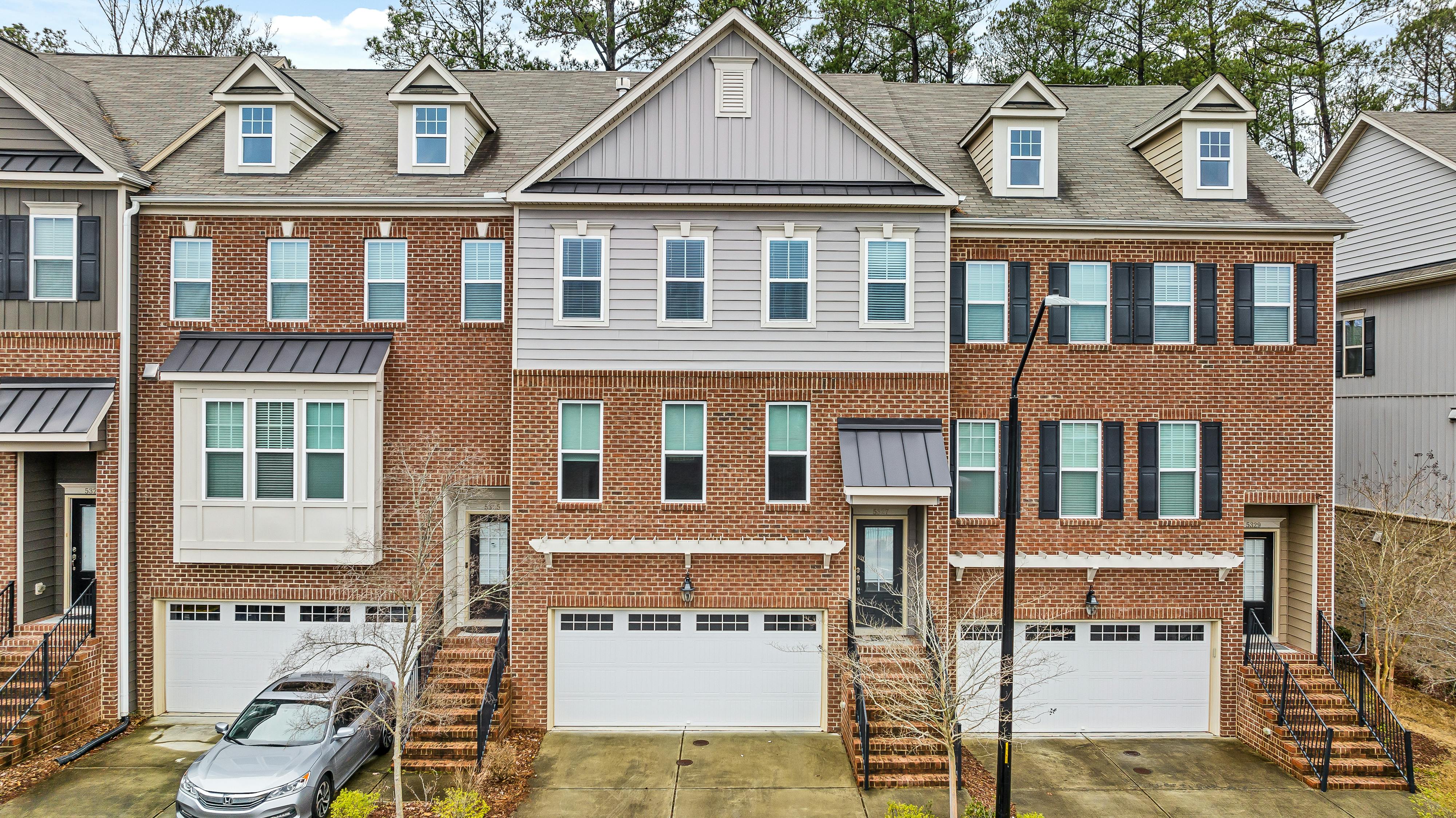
Best for Small Portfolios & DIY Managers
Small portfolios benefit most from simplicity and low overhead. Tools like TurboTenant and Innago are often attractive because they offer free or low cost entry points. These platforms focus on essential features such as rent collection, listings, and basic communication.
Pricing models typically rely on transaction fees or optional upgrades rather than monthly subscriptions. That structure works well for managers who value flexibility and minimal commitment. The trade off is depth. Advanced accounting and customization options are usually limited. For smaller operations, that limitation is often acceptable.
Best for Growing Management Companies
As portfolios expand, needs become more complex. Mid tier tools like Avail and Yardi Breeze offer a balance between usability and automation. These platforms introduce stronger accounting tools, better reporting, and more structured workflows.
Pricing increases with unit count but remains accessible for growing teams. Automation features reduce manual work and support consistency across properties. For management companies transitioning from small to mid sized operations, these tools often represent a practical step forward without the cost of enterprise software.
Affordable Yet Scalable All-In-One Platforms
Some platforms manage to combine affordability with depth. Buildium, Rent Manager, and RentVine fall into this category. They offer comprehensive feature sets covering accounting, leasing, maintenance, and reporting.
These systems are designed to scale. Pricing reflects that capability but remains competitive when compared to enterprise solutions. Feature depth allows teams to centralize operations without relying heavily on third party tools. For companies planning long term growth, this balance between cost and capability is often compelling.
Feature-Focused or Specialized Affordable Tools
Some affordable tools focus on specific operational areas rather than full platform coverage. Maintenance focused solutions prioritize work order management and vendor coordination. Financial focused tools emphasize accounting accuracy and reporting.
These specialized tools can complement existing systems or serve niche needs effectively. The key consideration is integration. When specialized tools connect smoothly with core platforms, they enhance functionality without adding complexity. Used strategically, they can improve performance while keeping costs controlled.
Head-to-Head Feature Comparison Table
A structured comparison reveals practical differences that are easy to miss during demos. Pricing alone rarely tells the full story. The table below highlights how leading affordable platforms compare across key operational dimensions.
| Software | Pricing Model | Ideal Portfolio Size | Core Features | Mobile Support | Integrations |
| TurboTenant | Freemium with paid add ons | 1 to 20 units | Listings, rent collection, screening | Limited | Basic |
| Innago | Free with transaction fees | 1 to 50 units | Rent collection, maintenance, communication | Moderate | Limited |
| Avail | Subscription per unit | 10 to 100 units | Leasing, accounting, automation | Strong | Moderate |
| Yardi Breeze | Monthly subscription | 50 to 500 units | Accounting, reporting, maintenance | Strong | Strong |
| Buildium | Tiered subscription | 50 to 500 plus units | All in one platform | Strong | Strong |
| Rent Manager | Custom pricing | 100 plus units | Enterprise level features | Strong | Extensive |
| RentVine | Subscription based | 100 to 1000 units | Accounting, automation, reporting | Strong | Strong |
This comparison highlights alignment rather than ranking. The right choice depends on portfolio size, operational complexity, and long term growth plans.
Pricing Models Explained
Pricing determines how software feels over time, not just at signup. Two platforms with similar features can create very different financial realities depending on how costs scale. Understanding pricing structures is essential to evaluating affordability in a practical, operational sense.
Subscription vs Per Unit vs Freemium Models
Subscription based pricing offers predictability. A flat monthly fee or tiered plan makes budgeting easier and reduces surprises. These models work well for stable portfolios where unit counts do not fluctuate frequently.
Per unit pricing scales with growth. It aligns cost directly with portfolio size, which feels fair but can become expensive as unit counts rise. Freemium models lower the barrier to entry but often monetize through transaction fees or feature limitations. Each model can be affordable in the right context, but mismatched pricing creates long term strain.
Hidden Costs to Watch Out For
Hidden costs are where affordability quietly erodes. Setup fees can be significant, especially for platforms that require hands on onboarding. Add ons for reporting, maintenance, or integrations often become essential rather than optional.
Support costs also matter. Some platforms gate responsive support behind premium tiers. Over time, these expenses accumulate. Evaluating total cost requires looking beyond advertised pricing and understanding what is required to operate effectively.
Modern Trends in Property Management Software
Technology trends shape how software evolves and how quickly it becomes outdated. Affordable platforms that keep pace with these trends tend to deliver better long term value. Ignoring them often leads to costly migrations later.
AI & Automation (Tenant screening, chatbots, predictive analytics)
AI is no longer experimental in property management. According to ZipDo, 65 percent of property managers report improved operational efficiency from AI, with automation reducing lease administration errors by up to 90 percent. These gains come from consistency rather than intelligence alone.
Automation handles repetitive tasks like screening, messaging, and reminders. Predictive analytics help identify risks before they escalate. When implemented thoughtfully, AI reduces workload without removing human oversight.
Mobile-First Workflows
Mobile access has shifted from convenience to necessity. Teams operate across properties, vendors work in the field, and residents expect real time updates. Software designed for desktop only creates delays and workarounds.
Mobile first workflows allow approvals, updates, and communication to happen anywhere. This flexibility improves response times and reduces dependency on office hours. Affordable platforms that prioritize mobile usability tend to age better.
API-First Tools & Interoperability
Interoperability determines whether software fits into a broader ecosystem. API first platforms are designed to connect easily with other tools. This flexibility allows managers to adapt systems without replacing them.
As operations grow, integration needs increase. Marketing tools, accounting systems, and maintenance platforms must share data. Software that supports this connectivity protects long term investment.
Security, Compliance, and Data Protection
Security is not optional. Property management software handles sensitive financial and personal data. Affordable platforms must still meet modern security standards.
Compliance features reduce risk and simplify audits. Data protection practices build trust with owners and residents. Platforms that neglect security often pay for it later through reputational and operational damage.
Buyer FAQs (Critical Questions Property Managers Ask)
Certain questions tend to surface at the same point in almost every software evaluation. They are shaped by experience, past frustrations, and long term expectations. While the answers vary by business, the questions themselves remain remarkably consistent.
What features are must haves for small portfolios? Core accounting, rent collection, maintenance tracking, and communication tools matter most. Advanced automation can wait until scale demands it.
Can affordable tools scale to 500 plus units? Some can. The key is choosing platforms designed with growth in mind rather than those capped by architecture.
How do I migrate from spreadsheets to PMS? Successful migrations start with clean data and clear workflows. Most platforms offer import tools, but preparation determines outcome.
Which tools integrate best with accounting systems? Platforms with established integrations and open APIs tend to perform best. Integration quality often matters more than the number of connections listed.
Implementation & Adoption Best Practices
Implementation determines whether software delivers value or frustration. Even the best platform fails without thoughtful rollout. These practices focus on reducing disruption while accelerating adoption.
Planning Your Software Rollout
Planning starts with defining goals. Teams should understand what problems the software is meant to solve. Clear timelines and responsibilities reduce confusion.
Phased rollouts often work better than all at once transitions. This approach allows teams to adjust processes gradually and address issues early.
Data Migration & Setup Checklist
Data migration sets the foundation. Incomplete or inaccurate data undermines confidence quickly. Cleaning records before import saves time later.
Setup should mirror real workflows. Customization during this phase prevents workarounds and frustration. Attention here pays dividends.
Training Your Team
Training determines adoption speed. Software should feel supportive, not imposed. Hands on sessions and role specific guidance help teams build confidence.
Ongoing training matters as features evolve. Teams that understand the system use it more effectively and consistently.
Tracking ROI After Implementation
Return on investment shows up in time saved, errors reduced, and visibility gained. Tracking these metrics validates the decision and guides optimization.
Regular reviews ensure the software continues to align with operational needs. Adjustments keep systems relevant as the business evolves.
Property management software continues to evolve, but the fundamentals remain steady. Systems work best when they reflect how a business actually operates rather than how a demo suggests it should. Clear workflows, reliable data, and reasonable costs tend to matter more over time than feature lists or trend driven promises.
For property managers, the real measure of success is not the platform itself, but the ease it brings to everyday decisions. When software fades into the background and operations feel calmer, the choice has usually been the right one.