Most communication problems in apartments are not about effort. They are about structure.
Teams are busy. Messages are going out all day. Emails are sent, texts are fired off, app notifications exist somewhere in the background. Yet residents still say the same thing. “No one told me.” Or worse, “I told you already.”
That gap is not a people problem. It is a system problem.
If you zoom out for a second, most properties are running communication like a conversation. What they actually need is a system. A system that decides what gets sent, where it goes, and what happens if it is ignored. Not sometimes. Every time.
This is where most teams hesitate. They think building a system will slow them down. In reality, the opposite happens. The right structure removes decisions. And when you remove decisions, you remove delays, missed messages, and resident frustration.
What follows is not theory. It is the operational layer that high-performing teams quietly rely on.
The Only Model That Works: Event-Driven Communication System
Every message should exist for one reason only. Something happened.
Not “we felt like sending an update.” Not “this is what we usually do.” Something actually happened in the resident journey, and that event triggered communication.
That shift sounds small. It changes everything.
When a lease is signed, that is a trigger. When a work order is submitted, that is a trigger. When rent is approaching due, that is a trigger. When something breaks, that is definitely a trigger.
Now imagine every one of those events automatically launching a communication sequence that is already decided, already tested, and already optimized.
No guessing. No “should I text or email?” No delay.
That is the model.
First, you define your trigger types. Leasing. Maintenance. Payments. Notices. Emergencies. Nothing outside of those categories should exist in your communication system. If it does, it becomes noise.
Then you assign roles to channels. Not preferences. Roles. SMS is not just faster email. Email is not just a longer text. Each channel has a job, and once that job is defined, the system starts to stabilize.
Then comes escalation. This is where most properties fail quietly. They send one message and assume it was seen. A real system assumes the opposite. If there is no response, the system shifts channels. Automatically. Predictably. Without a staff member stepping in.
And finally, everything lands in one place. A single timeline. Whether you use a CRM or a PMS, it does not matter. What matters is this. Every message, every response, every touchpoint lives in one history. If your team has to check three tools to understand a conversation, you do not have a system. You have fragments.
When you put these pieces together, something interesting happens. Communication stops feeling reactive. It becomes infrastructure.
Channel Role Enforcement: Stop Channel Misuse
Most teams are not under-communicating. They are miscommunicating.
The issue is not volume. It is placement.
Email should carry weight. Average email open rates typically range between ~20%–28% across industries. It is where detail lives. It is where instructions are explained. It is where documentation sits when you need to refer back to it later. If you are sending a five-step move-in guide over SMS, you are not being efficient. You are creating confusion.
SMS, on the other hand, is about interruption. SMS messages are ~5× more likely to be opened than emails. It cuts through everything else in a resident’s day. That is why it must stay short and purposeful. A reminder. A quick status update. A nudge that points somewhere else. Once SMS becomes long or frequent, it loses its power. Residents stop paying attention. And when that happens, your most important messages get ignored.
The mobile app plays a different role entirely. It is not just another place to send notifications. It is where residents go to do things. Submit requests. Check status. Respond. It is active, not passive.
The mistake many properties make is treating all three channels like interchangeable tools. They are not. Each one trains the resident how to behave. If you send everything everywhere, residents stop knowing where to look. That is when you start hearing, “I didn’t see it.”
There are also things that should never happen. Legal or policy-heavy content should not live in SMS. Urgent alerts should not rely on email. Multi-step processes should not be buried in app notifications with no context.
Once you enforce these rules, something subtle shifts. Residents begin to trust the channels. They know where to look and when it matters.
Message Routing Framework: The Decision Engine
At some point, every team asks the same question. How do we decide which message goes where?
The answer is not preference. It is a framework.
Start with urgency. If something is critical, it needs immediate visibility. 90% of SMS messages are read within 3 minutes of delivery. That almost always means SMS first. If it is standard, you have more flexibility. If it is informational, it should not interrupt the resident’s day.
Then consider complexity. A short update can live in a text. A multi-step instruction needs space. Ongoing communication, like a maintenance timeline, often needs a home base, which is where the app becomes essential.
Visibility is the final layer. Some messages must be seen. Not opened later. Not eventually. Seen now. Others are simply there when the resident chooses to engage.
When you combine these three factors, routing becomes clear. You are no longer guessing. You are applying logic.
Then comes fallback.
A message is sent via email. No open. The system triggers an SMS nudge. Still no action. The app sends a notification tied to the task itself.
This is not about spamming residents. It is about ensuring completion. There is a difference.
The best systems are not louder. They are smarter about how they follow through.
Exact Multi-Channel Workflows: Plug-and-Run
This is where theory turns into operations.
Take a maintenance request. A resident submits it. Immediately, they receive confirmation. That is reassurance. Then comes status updates. Scheduled. In progress. Completed. Each step delivered through the right channel at the right time. Not because someone remembered, but because the system is built that way.
Leasing works the same way. A lead comes in. Speed matters. A quick SMS response creates momentum. Email follows with details. A tour is scheduled. A follow-up keeps the conversation alive without feeling forced.
Payments are predictable, which makes them perfect for automation. A reminder before the due date. A notice on the day. A follow-up if late. A receipt after payment. Clean. Consistent. No surprises.
Community announcements are where visibility becomes critical. Email carries the full message. SMS ensures it is seen when it matters. Not every announcement deserves a text. Only the ones that impact daily life.
Emergencies are different. There is no debate. SMS messages have ~98% open rates vs ~20–30% for email. SMS first. Always. The app reinforces the message. Email records it.
When these workflows are built properly, staff stop chasing communication. They manage exceptions instead.
Resident Journey Mapping: Where Each Channel Fits
Residents do not experience your property in departments. They experience it as a journey.
Before they sign, speed is everything. A delayed response can mean a lost lease. This is where SMS shines, backed by email for detail.
During move-in, clarity matters more than speed. Instructions, reminders, and setup steps need to be structured. Email handles depth. SMS keeps things on track. The app becomes the anchor for ongoing interaction.
Once they are settled, behavior changes. Residents do not want constant outreach. They want control. The app becomes the primary channel. SMS is reserved for important alerts. Email documents what matters.
Maintenance introduces a different dynamic. Uncertainty. Residents want to know what is happening and when. Short updates via SMS reduce anxiety. The app provides transparency. Email keeps the record.
Renewal brings everything full circle. Offers are explained through email. SMS nudges action. The app allows residents to respond without friction.
When you align channels with the resident journey, communication starts to feel natural. Not forced. Not repetitive.
Automation System Design: Reduce Workload, Not Add It
Automation gets a bad reputation for one reason. It is often layered on top of broken processes.
That is when it feels heavy.
Done correctly, automation removes work. Automated emails generate up to 320% more revenue than non-automated emails. It does not create it.
The key is triggers. Not broadcasts. A broadcast sends the same message to everyone, whether it applies or not. A trigger sends a message because something specific happened.
Then comes sequencing. If this happens, send that. If there is no response, do something else. This logic should span across channels, not live inside one.
Time also plays a role. If a work order sits untouched for too long, the system should follow up. If a lead has not responded, the system should re-engage. These are not reminders for staff. They are built into the system itself.
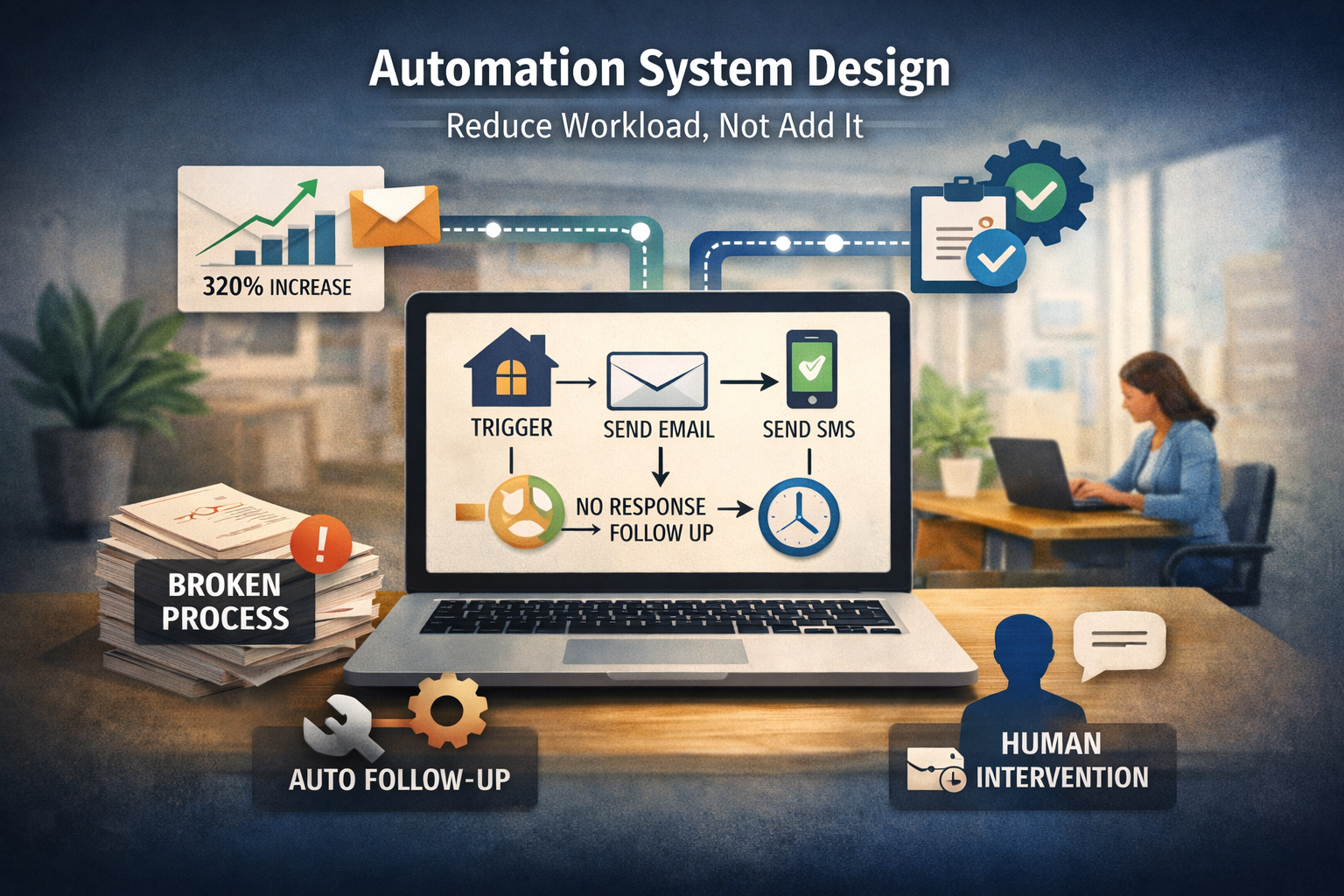
There will always be exceptions. A unique situation. A special case. That is where human intervention belongs. Not in the routine.
The goal is simple. Let the system handle the predictable so your team can focus on what actually requires judgment.
When that happens, communication stops being a daily scramble. It becomes something much more powerful.
It becomes consistent.
Tool Stack Requirements: Non-Negotiables
At some point, every team hits the same ceiling. The workflows are clear. The channel rules are defined. The intent is there. But execution starts to slip.
That is not a training issue. That is a tooling issue.
If your team cannot see every conversation in one place, you are already behind. A unified inbox is not a nice feature. It is the backbone. Email, SMS, and app messages should sit side by side, tied to a single resident timeline. When someone on your team opens a conversation, they should not have to guess what happened before. It should be obvious in seconds.
Automation is the next layer. Not basic scheduling. Real workflow logic. Triggers, conditions, and actions that connect across channels. If your system cannot handle “if this, then that” without manual workarounds, you will feel it every day in delays and inconsistencies.
The timeline itself matters more than most teams realize. A clean communication history changes how decisions are made. It removes assumptions. It reduces back and forth. It gives your team confidence when responding, because they are not piecing together fragments.
Integration is where everything either works or breaks. Maintenance systems, leasing tools, payment platforms. If they are not connected, your communication system becomes reactive again. Someone has to notice something before a message goes out. That defeats the entire purpose of being event-driven.
Then there is reporting. Not vanity dashboards. Real performance data. How fast are you responding on each channel? Which messages are being seen? Where are delays happening? Without that visibility, you are operating on instinct.
And instinct does not scale.
Tool Categories With Clear Use Cases
There is no shortage of tools in this space. The problem is not access. It is clarity.
All-in-one property management platforms promise centralization. And when they are implemented well, they do exactly that. Leasing, maintenance, payments, and communication all in one environment. The tradeoff is flexibility. These systems are strong at structure, sometimes weaker at customization.
SMS platforms exist for one reason. Speed. They are built to deliver messages fast and reliably. They handle volume without friction. But on their own, they are incomplete. Without integration into your workflows, they become another disconnected channel.
Email automation platforms are often underestimated in this industry. They are not just for marketing. They are powerful for structured communication. Leasing follow-ups, move-in instructions, policy updates. Anywhere you need clarity and consistency over time, email does the heavy lifting.
Resident apps are where engagement lives. This is the only channel where residents take action inside your ecosystem. Submitting requests, tracking progress, responding to updates. If your app is underused, it is usually not a resident problem. It is a system design problem.
Then there is the emerging layer. AI communication assistants. These tools are changing the speed of response. They can handle common questions, route requests, and keep conversations moving without delay. The mistake is treating them like a replacement for your team. They are not. They are an extension. When used correctly, they remove bottlenecks. When used poorly, they create confusion.
The right stack is not about having more tools. It is about having the right roles filled without overlap or gaps.
Implementation Blueprint: Step-by-Step Execution
This is where most teams stall. Not because they do not understand the model, but because they try to do everything at once.
The first step is simple. Look at what you are already doing. Every message. Every channel. Every use case. Where are things getting duplicated? Where are they getting missed? This is not about judgment. It is about visibility.
Once you see the gaps, you define your rules. What goes to SMS. What stays in email. What lives in the app. And just as important, what does not belong in each channel. This step requires discipline. Without it, everything that follows becomes messy.
Then you build your core workflows. Not ten. Not twenty. Three. Maintenance. Leasing. Payments. These are the lifeblood of your operation. If these are clean, everything else becomes easier.
Automation comes next. This is where your system starts doing real work. Triggers fire. Messages sequence. Escalations happen without anyone stepping in. At this stage, you are not aiming for perfection. You are aiming for consistency.
Training is where many teams cut corners. And it shows. If your staff does not understand the channel roles, they will default back to old habits. Sending everything everywhere. Overriding the system. Creating noise. Training is not a one-time event. It is reinforcement.
Then you watch. Not casually. Intentionally. Where are responses slowing down? Which messages are being ignored? What is working better than expected? This is where your system evolves.
Execution is not about launching. It is about adjusting without losing structure.
KPI System: Measure What Actually Matters
It is easy to track activity. It is harder to track effectiveness.
Response time is the most obvious metric, but it needs context. A fast response on SMS means something different than a fast response on email. The goal is not just speed. SMS response rates average ~45% vs ~6% for email. It is appropriate speed based on the channel.
First-contact resolution tells a deeper story. Are issues being handled in one interaction, or are they bouncing back and forth? This is where clarity in communication shows up.
Visibility is often overlooked. A message that is sent is not the same as a message that is seen. Open rates, read confirmations, app engagement. These signals tell you whether your routing logic is working.
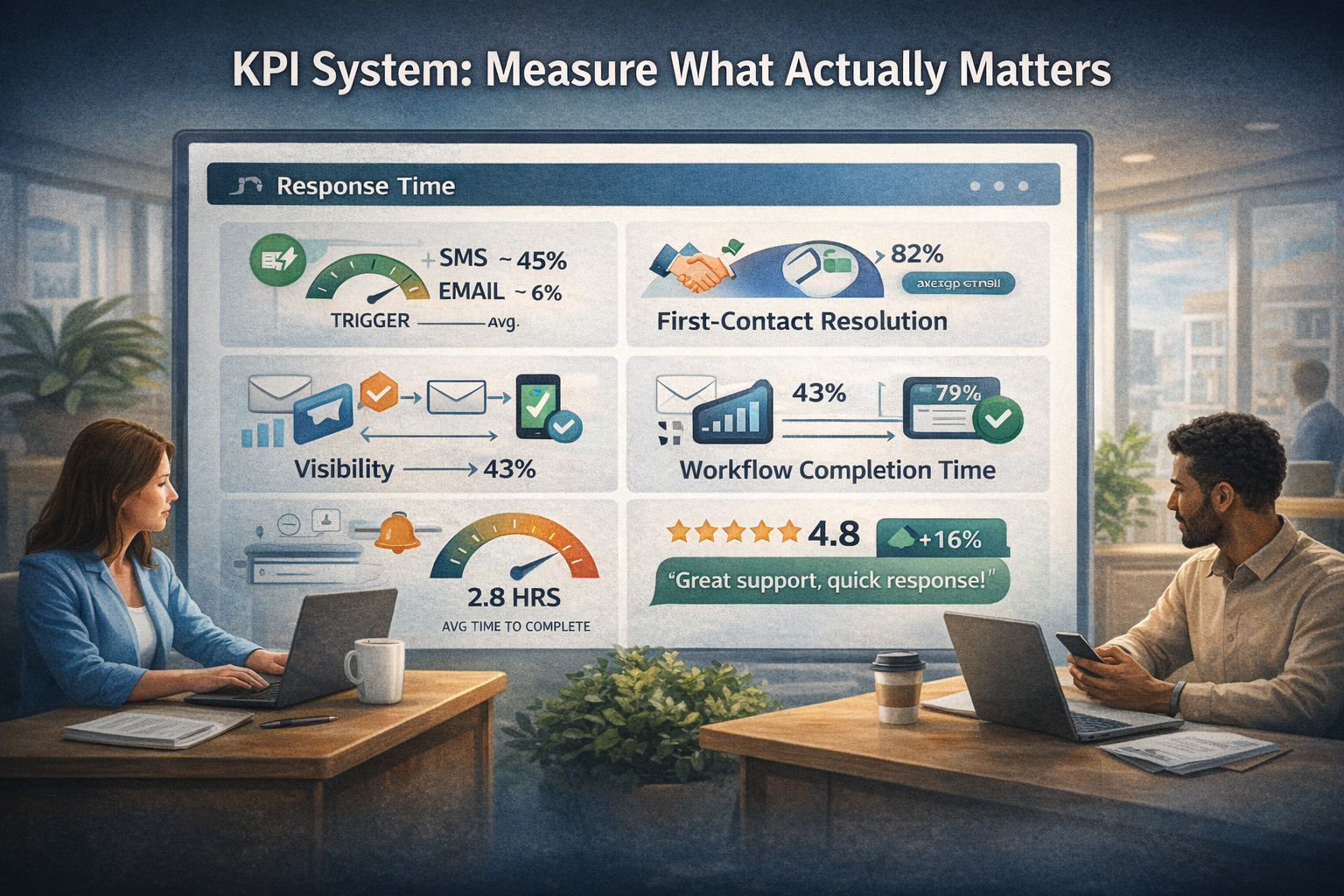
Workflow completion time ties everything together. How long does it take to move from request to resolution? Whether it is maintenance, leasing, or payments, delays here are often communication failures in disguise.
Then there is satisfaction. Not generic surveys, but feedback tied to specific interactions. When communication is fast and clear, satisfaction rises. When it is slow or confusing, it drops quickly.
Metrics should not exist for reporting. They should exist to guide decisions.
Communication Templates: Fully Usable Swipe Files
Consistency is built through repetition. Templates make that possible without sacrificing quality.
A maintenance update over SMS should feel direct. Short. Actionable. It tells the resident what is happening and what to expect next. Nothing more.
An urgent alert needs to cut through immediately. Clear instruction. No extra language. When something is critical, simplicity becomes a strength.
Email is where structure matters. A policy notice should read clean and organized. Easy to scan, easy to understand, and easy to reference later. The goal is not just delivery. It is clarity over time.
Leasing follow-ups are a sequence, not a single message. Each touchpoint builds on the last. A quick check-in. A reminder. A final nudge. Done right, it feels natural, not automated.
The most powerful templates are multi-channel. An email provides detail. An SMS nudges attention. The app creates a place to act. Together, they create momentum.
Templates are not about scripting your team. They are about removing friction so your team can focus on the moments that require judgment.
Compliance + Risk Controls: Operational Safeguards
As communication becomes more automated, risk increases quietly in the background.
SMS consent is the first line. Residents need to opt in. Not assumed, not implied. Clear and documented. Without this, even the best system can create problems.
Frequency matters more than most teams think. Too many messages, even if they are relevant, create fatigue. Quiet hours are not just a courtesy. They are a safeguard. Respecting a resident’s time builds trust.
Data privacy sits underneath everything. Messages often contain sensitive information. Where that data lives, how it is accessed, and who can see it should never be an afterthought.
Record keeping is where compliance meets operations. Every message, every notice, every interaction should be stored and accessible. Not because you expect issues, but because when they arise, clarity matters.
These controls are not there to slow you down. They are there to protect the system you are building.
Advanced System Layer: Where Most Teams Fall Behind
Once the foundation is in place, a different question starts to emerge. How do we get ahead instead of just keeping up?
AI-powered responses are one answer. Not full conversations, but the first layer. Quick replies to common questions. Immediate acknowledgment of requests. Keeping momentum without delay. This alone can change how residents perceive responsiveness.
Behavior-based messaging takes it further. Instead of waiting for a resident to reach out, the system reacts to what they do. If someone starts a payment and does not finish, a reminder follows. If a work order sits idle, an update is triggered. Communication becomes proactive.
Predictive communication is where things start to feel different. Patterns emerge over time. Recurring issues. Seasonal trends. The system begins to anticipate what might happen next and communicates before problems escalate.
Personalization is the final layer, and it is often misunderstood. It is not about adding names to messages. It is about context. Knowing the resident’s history, preferences, and behavior, and adjusting communication accordingly. The challenge is balance. Too much automation feels robotic. Too little feels inconsistent.
The teams that get this right do not look louder from the outside. They look smoother. Messages arrive at the right time. On the right channel. With the right level of detail.
And residents stop asking, “What is going on?”
They already know.